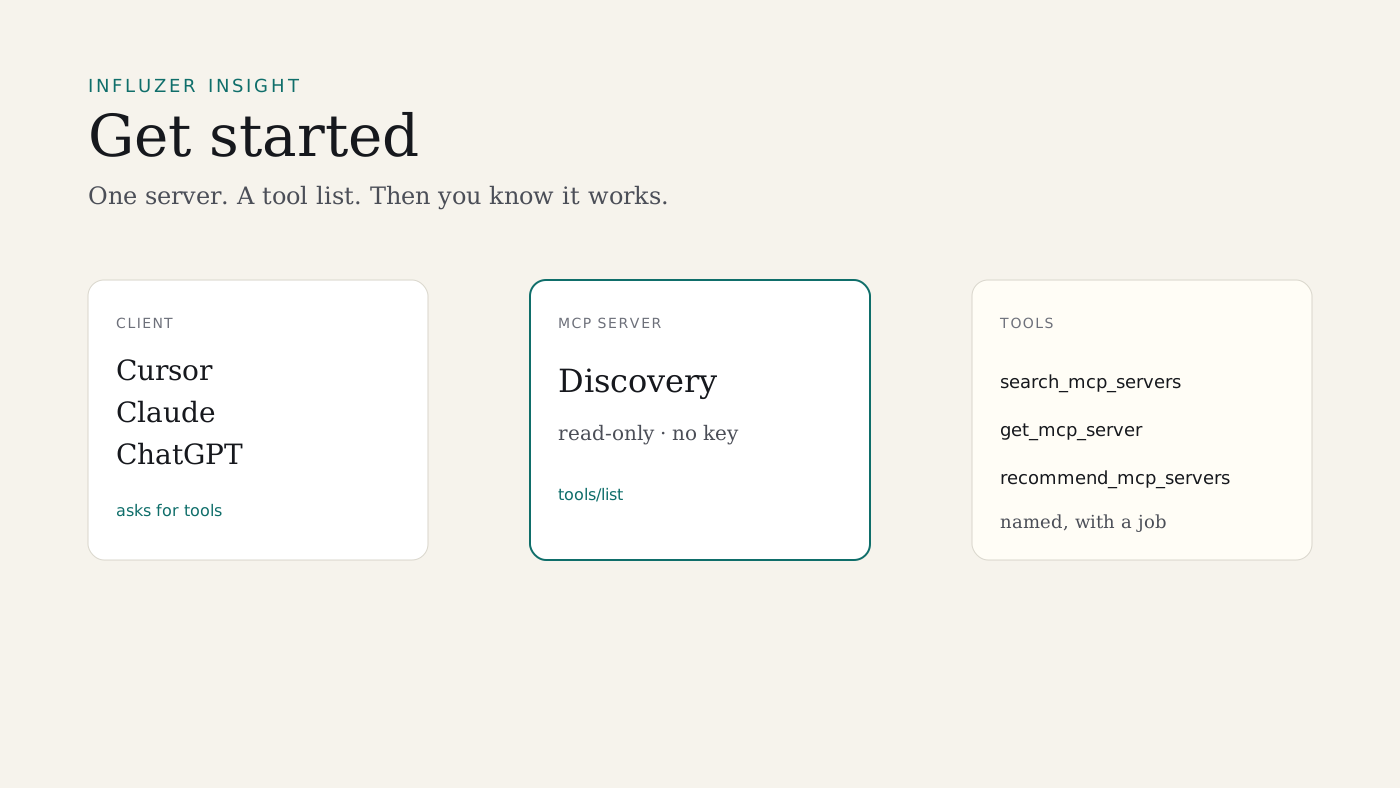
An MCP server is a small program that lists tools an AI app can call. Cursor, Claude, and ChatGPT are the apps. GitHub, a folder on your laptop, a docs site, and a database are the kinds of things a server can reach.
This guide gets you to one working server. You will connect it, see its tool list, and ask it to do one job. After that, the rest of the catalog makes sense.
If you want the architecture essay first, read what the Model Context Protocol is. You can also start here and read that later.
The four words
You only need four words to follow a setup doc.
- Host — the app you type into. Cursor, Claude, ChatGPT, or VS Code.
- Client — the piece inside that app that speaks MCP. You rarely configure it by name. The host does.
- Server — the program that exposes tools. One server, one job: files, GitHub, search, docs.
- Tool — a named action with a description and an input shape, such as
list_directoryorsearch_mcp_servers.
The host asks the server tools/list. The server answers with tool names. The model picks one and the host calls it. That round trip is the whole idea.
Two ways a server can run
Every listing is in one of two lanes. Pick the lane that matches the app you already have.
| Lane | What you paste | Works in |
|---|---|---|
| stdio — a command on your machine | A command, often npx, plus a folder or a token | Cursor, Claude Code, a local CLI |
| HTTPS — a URL on the internet | A URL such as https://www.influzer.ai/mcp/discovery | Cursor, Claude, and ChatGPT |
Claude and ChatGPT run in the cloud. They can call a public HTTPS server. They cannot call a process on your laptop. If a listing says stdio only, keep it in Cursor or the CLI.
More on that split: stdio, HTTP, hosting, and secrets.
First server: Discovery
Start with Influzer MCP Discovery. It is an HTTPS server, it is read-only, and it needs no API key. Its job is to search the MCP catalog from inside the chat.
Endpoint: https://www.influzer.ai/mcp/discovery
In Cursor
Open Settings → MCP, or create .cursor/mcp.json in the project:
{
  "mcpServers": {
    "influzer-discovery": {
      "url": "https://www.influzer.ai/mcp/discovery"
    }
  }
}
Save, then reload MCP. The full click-path is on the Discovery setup page.
In Claude or ChatGPT
Add a custom connector and paste https://www.influzer.ai/mcp/discovery. Use the HTTPS URL only. Leave stdio listings for Cursor.
Prove it
Ask, in the same chat:
Use Influzer Discovery. Call search_mcp_servers for library documentation. Tell me the tool names you used and two servers you found.
A working connection names tools such as search_mcp_servers, get_mcp_server, or recommend_mcp_servers, then returns real listings. If the model answers from memory and never names a tool, say the tool name again. Generic prompts often skip tools.
Second server: a folder on your machine
Once Discovery answers, add one local server if you use Cursor or Claude Code. The official Filesystem server reads and writes inside folders you name.
Make a scratch directory first. Point the server at that directory. Leave your home folder out of the config. This server includes write_file, so the path is the permission.
{
  "mcpServers": {
    "filesystem": {
      "command": "npx",
      "args": ["-y", "@modelcontextprotocol/server-filesystem", "/absolute/path/to/scratch"]
    }
  }
}
On Claude Code, the catalog install line is:
claude mcp add filesystem -- npx -y @modelcontextprotocol/server-filesystem /absolute/path/to/scratch
Reload, then ask: “Using the filesystem tool, list the files in the allowed directory.” You should see the scratch folder, not your whole disk.
Node is required for that npx command. An HTTPS server such as Discovery needs only the URL.
How to tell that it worked
- The client shows tools. Named actions appear for that server. An empty list means the process started and advertised nothing useful.
- One prompt uses one tool. The reply cites the tool, or the client log shows
tools/call. - The answer matches the system. A file list matches the scratch folder. A catalog search matches a page you can open on influzer.ai/mcp.
For a remote URL, you can also run a handshake before you paste it: initialize, then tools/list. Do that on /mcp/probe. live_ok means the endpoint listed tools. auth_required means it answered and wants a credential. unreachable means skip it for now. A live tool list is a fact about the endpoint. It is still not a SAFE badge.
What to add after the first two
Add one server at a time. Reload. Ask for one tool. Then add the next. A pile of servers with overlapping jobs makes the model pick badly.
A sensible order for a coding assistant:
- Discovery — find servers by the job, from inside the chat.
- Filesystem — one scratch folder, if you are on Cursor or a CLI.
- Docs — Context7 pulls current library docs. Open the listing and paste the client snippet from that page.
- Read-only GitHub — GitHub, with a token that can read and cannot administer the org. Writes come later, with an owner.
That sequence is eyes, then hands. The longer version is eyes before hands. When you want the five-server Cursor afternoon, use the Cursor setup guide.
How to choose the next server
Open the Top 100 when you want a short list. Open the full directory when the job is specific: Postgres, Linear, a scraper. Search by the action (“create_issue”, “run_query”), not only by vendor name.
Before a server joins a shared config, check four things:
- The lane matches the client. stdio for the laptop. HTTPS for Claude and ChatGPT.
- The tool names describe a job you recognize.
- Any secret has an owner and a way to revoke it.
- A second person could install it from the listing.
The catalog is large, and many listings are demos. Prefer a server with indexed tools over a README with a star count. The 30-second version of this filter is in most MCP servers are still demoware.
Names that get mixed up
People use “MCP” for four different sockets. Learning them now saves a week.
- MCP server — this guide. A tool socket the agent calls across apps.
- WebMCP — tools declared on a webpage, for an agent that is already on that page. A website is its own kind of tool surface.
- MCP Apps — a widget drawn inside the chat host. They are not WebMCP.
- ACP — how an editor talks to a coding agent. ACP and MCP are different layers.
When it does not show up
No tools in the panel
Check the JSON commas. Reload the client. For stdio, run the same npx command in a terminal and read the error. For HTTPS, open the URL’s listing and run the probe.
The model ignores the server
Name the tool in the prompt. “Fix this” is weaker than “call list_directory on the filesystem server.”
ChatGPT cannot see your files
That client needs an HTTPS server. A filesystem command on your laptop stays in Cursor or Claude Code.
Too many servers, odd answers
Remove the ones you are not using this week. Two search servers is usually one too many.
If you want to build a server
Connecting one is the right first afternoon. Building one is a different job: name a few tools for a single task, say whether you ship stdio or HTTPS, and put a revoke path on any credential.
Start with the producer playbook and API to MCP in one afternoon. When the endpoint is live, submit it so other people can handshake it the same way you just did.
Quick answers
Do I need to read the spec?
No. Connect Discovery, confirm tools/list, and make one call. The spec matters when you host a server for other people. Builders can start with what the 2026-07-28 revision changed.
Is MCP the same as a REST API?
REST stays the contract between your services. MCP is the tool list an agent reads at runtime. Both can sit in the same product. See MCP servers vs REST APIs.
Is a green handshake a security approval?
No. It means the endpoint spoke MCP and returned a tool list. You still decide which write tools are allowed. Verify a server before you connect it.
Which app should I use for the first hour?
The one you already have. Cursor can do stdio and HTTPS. Claude and ChatGPT should start with the Discovery URL.
Where to go next
- Connect Discovery
- Browse the Top 100
- Five servers worth adding in Cursor
- What MCP is, including MCP vs RAG
- The search, handshake, paste skill for when an agent is doing the lookup
One server that answers tools/list is the whole on-ramp. Add the next server when you have a job for it.
One clear email each Thursday
Actionable frameworks on AI execution, agents, and MCP.
Leave a comment
Be the first to share your thoughts.