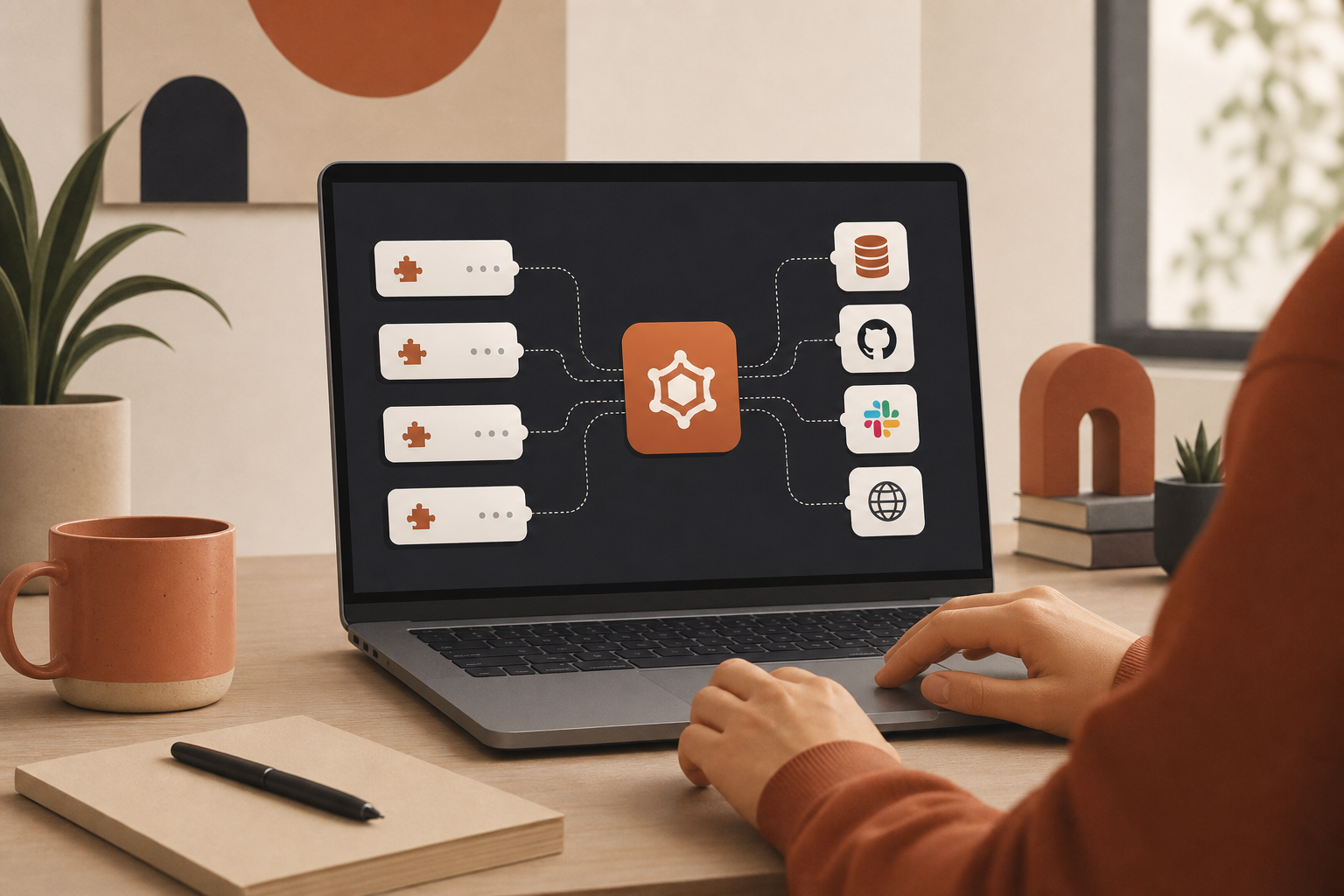
Large language models are powerful, but they have two hard limits: their knowledge is frozen at training time, and they cannot act on the outside world without help. They cannot query your production database, send a Slack message, or open a browser — unless you wire those capabilities in.
The Model Context Protocol (MCP) is the open standard designed to solve that. Introduced by Anthropic in November 2024, MCP gives AI clients a consistent way to discover and call tools exposed by external services — databases, file systems, browsers, ticketing systems, and SaaS APIs.
This guide explains what MCP is, how host/client/server architecture works, a concrete workflow example, how MCP differs from RAG, and where to find servers for Cursor, Claude, and VS Code.
Why MCP exists
Before MCP, every AI integration was bespoke: custom REST wrappers, one-off OAuth flows, prompt-injected API docs, and fragile glue code per service. That does not scale when your agent needs GitHub and Postgres and a browser and live library documentation.
MCP standardizes the contract:
- Tool discovery — clients call
tools/listand receive names, descriptions, and input schemas - Tool invocation — clients call
tools/callwith structured arguments - Transport — local processes (stdio) or remote endpoints (HTTP/SSE)
The result: AI applications move from static text generation to dynamic agents that retrieve live data and take action — with less custom integration code per vendor.
MCP architecture: host, client, server, transport
MCP has four components that work together:
MCP host
The host is the AI application you interact with — Cursor, Claude Desktop, VS Code with Copilot, or a custom agent runtime. The host embeds the LLM and orchestrates when to call external tools.
MCP client
The client lives inside the host. It translates the model's tool requests into MCP protocol messages, discovers available servers, and returns tool results to the model. You rarely configure the client directly — the host manages it.
MCP server
The server is the integration layer. It connects to a real system (GitHub API, PostgreSQL, Chrome browser, Firecrawl, etc.) and exposes one or more tools the model can call. Each server is typically one integration — though some bundle related capabilities.
Transport layer
MCP messages use JSON-RPC 2.0. Two common transports:
- stdio — the host spawns a local process; messages flow over stdin/stdout. Fast, ideal for filesystem, local DBs, and dev tools.
- HTTP / SSE — remote hosted endpoints. Common for vendor SaaS MCP (Smithery deployments, first-party URLs like
mcp.cal.com).
Our directory labels each server's transport so you know whether to paste a command or a URL into client settings.
How MCP works: a worked example
Imagine you ask an AI assistant: "Find the latest sales report in our database and email it to my manager."
Here is how MCP handles that:
- Tool discovery — The model knows it cannot access a database or email directly. The MCP client lists available tools and finds
database_queryandsend_emailon registered servers. - First tool call — The model requests
database_querywith the report name. The MCP client forwards the call to the database MCP server. - External action — The server runs a secure query, retrieves the report, and returns structured data to the model.
- Second tool call — Armed with the report, the model calls
send_emailwith the manager's address and attachment content. - Confirmation — The email server confirms delivery. The model replies: "I found the latest sales report and emailed it to your manager."
That loop — discover, call, act, respond — is the core MCP workflow. The model chooses tools; MCP executes them through standardized servers.
MCP vs RAG
Both MCP and Retrieval-Augmented Generation (RAG) bring outside information into LLM workflows, but they serve different purposes:
| Feature | MCP | RAG |
|---|---|---|
| Primary goal | Standardize two-way communication so LLMs can invoke tools and perform actions | Retrieve relevant text from a knowledge base to augment prompts |
| Mechanism | Structured tool calls via MCP servers | Embedding search → inject retrieved chunks into the prompt |
| Interaction | Active — book meetings, create issues, run queries | Passive — inform text generation with retrieved documents |
| Standardization | Open protocol across clients and servers | Technique — many implementations, no universal tool grammar |
| Typical use | AI agents performing tasks in external systems | Q&A, summarization, reducing hallucinations from docs |
They are complementary. Many production stacks use RAG MCP servers for document retrieval and action-oriented servers for ticketing, deployment, and browser QA. Browse our RAG topic guide for memory and retrieval servers.
Benefits of MCP
Reduced hallucinations
When agents call live tools — query a database, fetch current docs via Context7, scrape a page — responses ground in real data instead of model guesses.
Increased automation
MCP turns natural language into structured actions: create a Linear issue, deploy on Railway, run a Playwright check. Less copy-paste, more closed loops.
Easier integrations
One protocol replaces N custom SDK paths. Teams configure servers instead of maintaining integration code per AI client. See MCP vs REST APIs for the developer angle.
Security and permissions
MCP makes the agent perimeter visible — every tool is named, described, and callable. That visibility is an opportunity and a risk.
- Least privilege — scope OAuth tokens and API keys to what the workflow needs
- Human-in-the-loop — confirm destructive actions (deploys, deletes, payments)
- Audit tool sprawl — run our seven-question MCP audit before enterprise rollout
- Separate configs — project-safe servers in
.cursor/mcp.json; personal credentials in user-level settings
Building servers? MCP Builders Chapter 2 covers the over-permission trap in depth.
Local vs remote hosting
| Model | Best for | Examples |
|---|---|---|
| Local (stdio) | Secrets on your machine, filesystem, VPN-only resources | Filesystem, Postgres, GitHub |
| Remote (HTTP) | Zero-install SaaS, team-shared endpoints | Supabase, Sentry, vendor-hosted MCP URLs |
MCP Builders Chapter 4 walks through when to move from local stdio to hosted HTTP — and where secrets should live.
How to use MCP with Claude, Cursor, or VS Code
- Pick servers — start with the Top 100 or a topic guide (browser automation, coding agents, RAG)
- Open each server page — copy install commands or remote MCP URLs
- Add to client config —
.cursor/mcp.json(Cursor), Claude Desktop settings, or VS Code MCP extension - Verify
tools/list— confirm tools appear before relying on them in production - Prompt explicitly — name the capability: "use the GitHub tool to list open PRs"
Step-by-step wiring: How to set up your first MCP servers in Cursor.
Who developed MCP?
Anthropic introduced the Model Context Protocol in November 2024 as an open standard. The ecosystem now includes official servers from GitHub, Google, Atlassian, Cloudflare, and dozens of vendors — plus community and self-hosted integrations cataloged on Influzer.ai.
What are the best MCP servers?
"Best" depends on workflow. High-signal starting points in our catalog:
- Coding agents: GitHub, Context7, Filesystem, Playwright
- Web research: Brave Search, Firecrawl, Exa
- Data: PostgreSQL, Supabase, Notion
- Ops: Sentry, Datadog, Linear
Search by tool name in the full directory — e.g. "scrape", "create_issue", "run_query" — not just server titles. We index thousands of tools across hundreds of validated servers.
Find MCP servers on Influzer.ai
Influzer.ai is an MCP directory built for developers choosing production integrations:
- Top 100 curated servers with tool lists and setup steps
- Full registry searchable by name, category, and tool capability
- Topic guides for browser automation, scraping, RAG, PDF, OpenAPI, and coding-agent stacks
- Daily re-validation of tool indexes on live HTTP endpoints
- Manual review for community submissions
Missing a server? Submit it. Building your own? Start with MCP Builders — The Producer Playbook.
Further reading
- How MCP is taking over the integration game
- MCP servers vs REST APIs
- Enterprise-managed MCP auth
- Google Cloud — What is MCP? (external reference)
Bottom line: MCP is the integration layer for AI-native software. LLMs supply reasoning; MCP supplies the hands. Connect the right servers once — then every prompt in Cursor or Claude can reach the systems you already run.
One clear email each Thursday
Actionable frameworks on AI execution, agents, and MCP. Join 4,200+ builders.
Leave a comment
Be the first to share your thoughts.