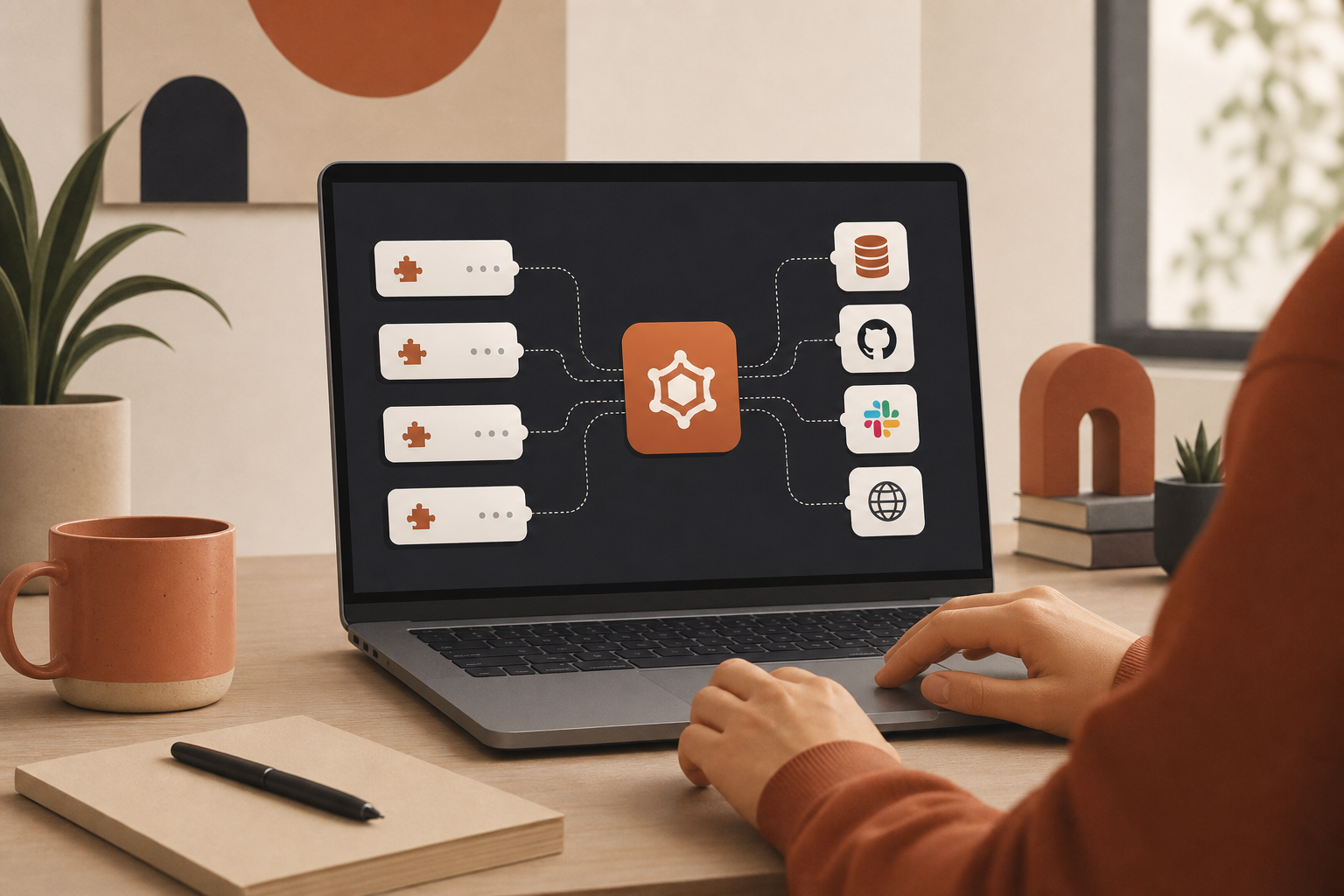
For years, connecting software meant writing bespoke integration code: SDK wrappers, OAuth flows, retry logic, pagination helpers, and environment-specific config for every new service. If you wanted your app to talk to GitHub, Slack, Postgres, and a browser automation layer, you built four separate integration paths — and maintained them forever.
That model is breaking. Model Context Protocol (MCP) servers are emerging as the default integration surface for AI-native development. Instead of hard-coding each API into your application, you plug in MCP servers that expose standardized tools your AI client can call — search repos, read files, query databases, scrape pages, create tickets.
For developers, the shift is not cosmetic. It changes how fast you ship, how composable your stack becomes, and how much glue code you carry into production.
The old integration stack vs the MCP model
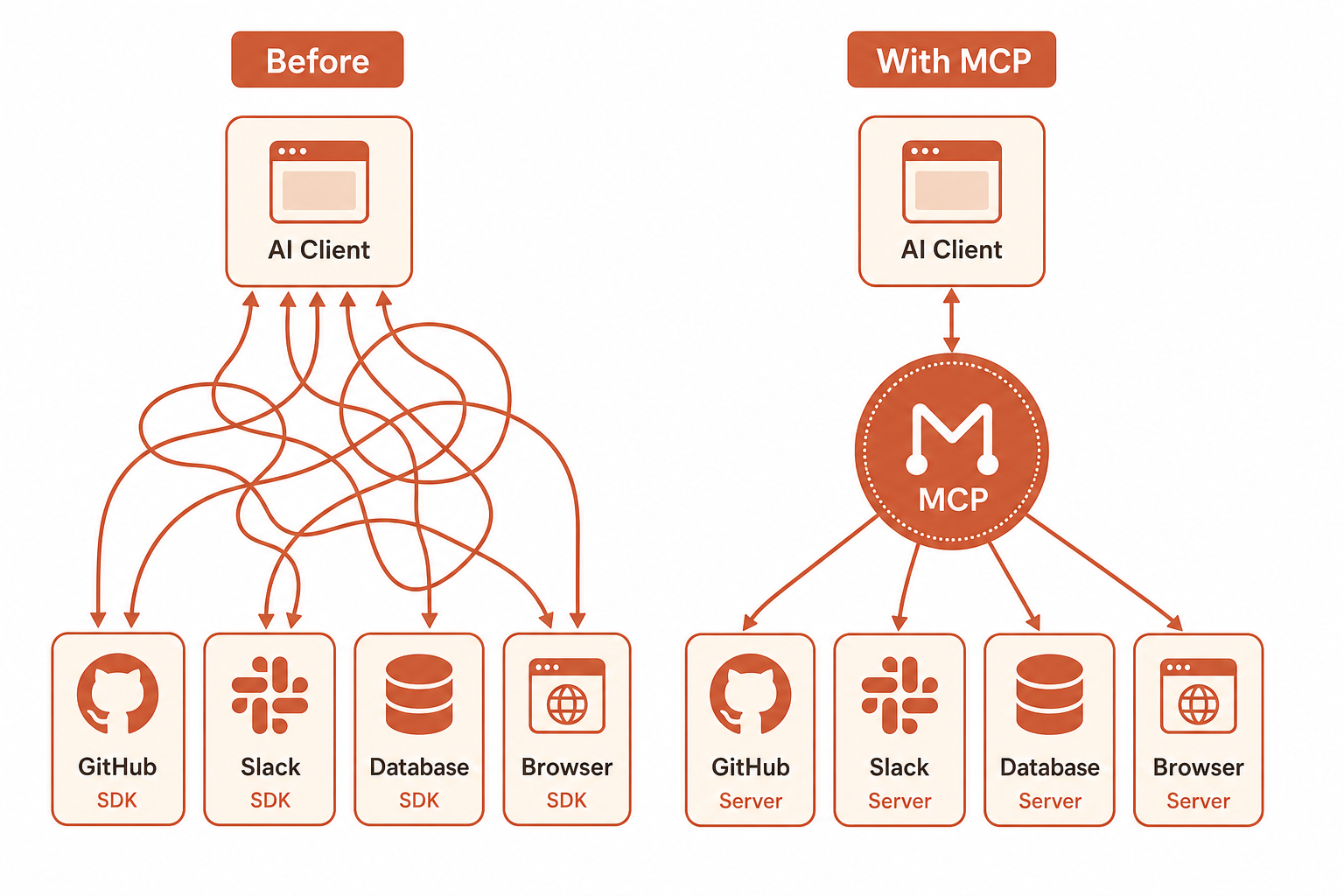
Traditional integrations usually look like this:
- Per-service SDKs with different auth, rate limits, and error shapes
- Custom middleware to normalize responses for your app or agent
- Tight coupling between business logic and vendor-specific client code
- Slow iteration when you add or swap tools — every change touches application code
MCP flips the boundary. The AI client speaks one protocol. Each MCP server implements that protocol and advertises a tool list — callable functions with names, descriptions, and input schemas. Your app does not need to know whether “search issues” comes from GitHub, Linear, or Jira. It needs to know the tool exists and what inputs it accepts.
That separation is why MCP is taking over the integration game: it turns integrations from embedded code into pluggable capabilities.
Seven developer benefits that matter in practice
1. Less glue code, faster shipping
The biggest immediate win is velocity. You stop writing one-off API clients for every agent workflow. Install or connect an MCP server, expose its tools to Claude Desktop, Cursor, or your own MCP client, and move on. Teams report cutting days of integration work down to hours when the server already exists in the ecosystem.
2. One protocol across local and remote servers
MCP supports stdio (local processes on your machine) and remote HTTP endpoints (hosted servers you paste into client config). That means the same mental model applies whether you are running a filesystem server locally or connecting to a hosted SaaS integration. Browse the Top 100 MCP servers and you will see both patterns labeled clearly.
3. Tool discovery instead of API archaeology
Good MCP servers publish a tools/list response: every callable action with a description. Developers can search by capability — “scrape URL”, “run SQL”, “create page” — instead of reading 200-page API docs. Directories like Influzer.ai’s full MCP catalog index those tool names so you can find servers by what they do, not just what they are called.
4. Composable stacks without rewrites
Need browser automation plus database access plus team messaging? Attach three MCP servers. Swap Firecrawl for another scraper? Change the server config, not your agent’s core logic. Composability is the superpower: integrations become modules you hot-swap.
5. Security boundaries you can reason about
Local MCP servers run in defined scopes — filesystem servers respect allowed paths; database servers use connection strings you control. Remote servers use HTTPS endpoints with tokens you manage in client settings. The protocol does not solve every security question, but it gives you a clear perimeter: what tools exist, what credentials they use, and where they run.
6. Community momentum and shared maintenance
Popular MCP servers (GitHub, Slack, Postgres, Playwright, Context7) are maintained by vendors or active open-source communities. You inherit fixes, new tools, and compatibility updates without patching your app’s integration layer. As the registry grows past 1,500 servers, the long tail of niche integrations is increasingly covered by someone else’s server.
7. A path from dev experiment to team standard
MCP started in individual developer setups — Cursor with filesystem and GitHub, Claude Desktop with a few local servers. Now teams are standardizing on shared MCP configs: approved servers, documented tool usage, and repeatable onboarding. The protocol gives engineering leads something concrete to govern instead of a pile of custom scripts.
What changes in your day-to-day workflow
If you are building with AI agents today, MCP typically shows up in three places:
- IDE agents (Cursor, Windsurf, etc.): MCP servers extend what the agent can do beyond the repo — query staging DBs, check Sentry, open Linear issues
- Desktop assistants (Claude, etc.): personal productivity stacks combining calendar, notes, browser, and dev tools through one interface
- Custom agent backends: your own orchestration layer calling MCP tools instead of raw REST endpoints
In each case, the developer experience converges on the same loop: pick a server, configure transport, verify tools/list, wire prompts or agent policies to the tools you trust.
Real examples developers are already using
These are not theoretical — they are among the most connected servers in production setups:
- Filesystem: safe read/write within allowed directories — the reference pattern for local dev tools
- GitHub: repos, PRs, issues, and code search without leaving the agent
- Playwright: browser automation for testing and scraping workflows
- Context7: live, versioned library documentation injected into coding sessions
- Firecrawl: URL-to-markdown extraction for research and RAG pipelines
- Webnode: website creation and management from the agent — a newer pattern where SaaS products ship first-party MCP endpoints
The trend line is clear: vendors are shipping MCP as a product surface, not an afterthought. That accelerates the replacement of custom integration code.
How to evaluate MCP servers without wasting a sprint
Not every server in the registry is production-ready. Before you bet a workflow on one, run a short checklist:
- Inspect the tool list: do the tools match your use case, or is the server a thin wrapper?
- Check transport: local stdio vs remote URL — which fits your security and deployment model?
- Read setup docs: auth requirements, env vars, and client config examples on the server’s detail page
- Run a smoke test: call one read-only tool, confirm latency and error handling
- Pin versions: treat MCP server updates like dependency updates — especially for agents in shared environments
Start from the curated Top 100 when you want proven options; drop into the full directory when you need something niche. If you maintain a server we are missing, submit it — the catalog is updated weekly and tool lists are re-validated daily.
What MCP does not replace (yet)
Developers should stay clear-eyed about limits:
- Business logic still lives in your app. MCP connects capabilities; it does not design your workflows.
- Auth complexity does not disappear. OAuth, API keys, and scoped tokens still need correct handling — the server abstracts the API, not accountability.
- Output validation remains essential. Agents can call tools correctly and still produce wrong conclusions. Human and automated validation layers matter — see our guide on why AI output validation requires human engineers.
- Not every API has a mature MCP server. For edge cases you may still write custom tools — but even then, wrapping them as MCP servers lets the rest of your stack stay consistent.
Why this is an inflection point, not a fad
Integration technologies come and go. MCP is sticking because it solves a problem that got worse as AI agents became mainstream: agents need many tools, and developers need one way to attach them.
REST will remain the backbone of the web. SDKs will not vanish. But the default path for “let my AI client do something in an external system” is rapidly becoming “install or connect an MCP server.” That is a structural shift — similar to how OAuth replaced custom login integrations, or how webhooks replaced polling — and developers who learn the protocol early get compound returns as the catalog grows.
Quick answers developers ask
Do I need to build my own MCP server?
Often no. Search the directory first. Build your own when you have proprietary internal APIs or need tight control over tool schemas and auth.
Cursor vs Claude Desktop — same servers?
Mostly yes. Both support MCP; config format differs slightly. A server that works in one client usually works in the other with minimal changes.
Local or remote — which should I prefer?
Local for dev machines, sensitive data, and tools that need filesystem or VPN access. Remote for shared team setups, SaaS products with hosted endpoints, and zero-install onboarding.
How do I debug MCP tool calls?
Start with tools/list to confirm the server is reachable. Log inputs and outputs at the client. Treat failed tool calls like API errors — check auth, schema, and rate limits before blaming the model.
Is MCP only for AI apps?
Today, yes — MCP is designed for LLM clients and agents. But the tool abstraction is general; non-AI orchestrators can call MCP servers if they implement the client side.
Final thought
The integration game is moving from “write another client” to “connect another server.” For developers, that means less boilerplate, faster experiments, and stacks that evolve without rewrites.
MCP is not magic — you still own security, validation, and architecture. But it gives you a standard plug shape for the tools your agents need. In a world where every team is wiring AI into real workflows, that standard is worth more than another internal SDK.
Browse the Top 100 MCP servers, find the capabilities your next project needs, and spend the time you save on the problems only your product can solve.
One clear email each Thursday
Actionable frameworks on AI execution, agents, and MCP. Join 4,200+ builders.
Leave a comment
Be the first to share your thoughts.