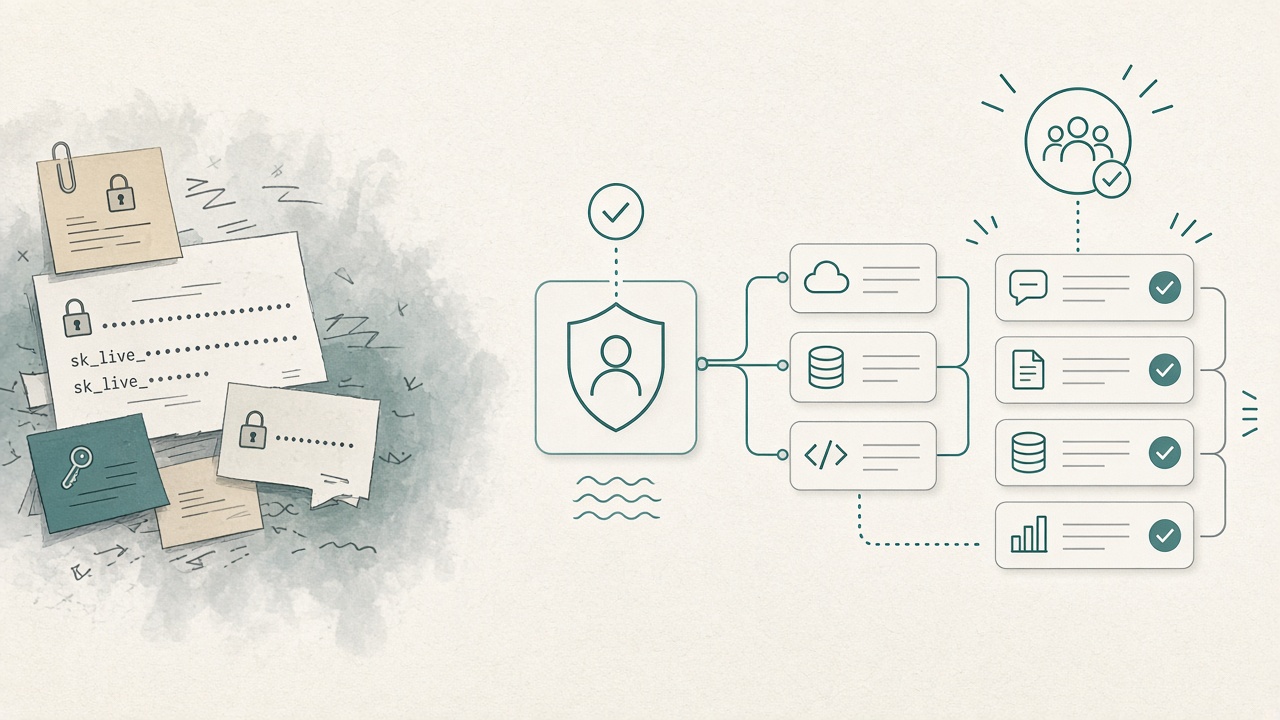
Enterprise-managed MCP auth is no longer news. Anthropic and Okta shipped the pattern in June: provision connectors once through the identity provider, users inherit access on login. We covered that shift in enterprise-managed MCP auth changes the game.
What is still broken is the handoff.
Engineering demos a connector on Friday. IT asks Monday where the credentials live. Someone pastes a personal token into .cursor/mcp.json “just for the pilot.” Three weeks later that token is in three laptops, one CI secret named TMP, and a Slack thread. Security does not reject MCP. They reject paste-a-key as the control plane.
Paste-a-key is dead. Not as a local hack for a weekend project — as the story you bring to an approval meeting. Here is the one-page auth packet that gets a connector signed.
What IT is actually evaluating
Security is not asking whether agents are cool. They are asking five questions. If you cannot answer them in writing, the meeting was a demo, not a rollout.
- Who issues the credential? IdP / service account / per-user OAuth — or a human’s PAT?
- Who loses access when someone leaves? Group membership, or “we’ll rotate later”?
- What can the tool mutate? Read vs write, which systems, which environments?
- Where does the secret appear? Env / secret manager / managed connector — or git, headers, chat?
- How do we turn it off in 15 minutes? Kill switch at IdP / allowlist / token revoke.
IdP-managed connectors answer 1, 2, and 5 by default. The allowlist and tool scope answer 3. Secret hygiene answers 4 — see don’t put secrets in MCP headers.
The one-page packet (steal this)
Bring one page to the review. Not a 40-slide deck. One page that maps each connector to identity and blast radius.
| Field | What to write | Fail if… |
|---|---|---|
| Server | Slug + Influzer / vendor page + transport (stdio / HTTP) | “Some GitHub gist” |
| Owner | Named human + backup | “The AI guild” |
| Auth model | IdP-managed / org OAuth / service account / local-only stdio | Personal PAT in repo |
| IdP groups | Which Okta / Entra / Google groups get it | “Everyone for now” |
| Tool class | Eyes (read) vs hands (write) — see eyes before hands | Full GitHub + prod DB on day one |
| Environments | Dev / staging / prod — separate credentials | One token for all three |
| Kill switch | Disable group, revoke connector, remove allowlist row | “Rotate when we remember” |
| Evidence | tools/list snapshot + scopes + last reviewed date |
README only, no live tool surface |
Pin that table next to the shared MCP config. Reject PRs that add a server without a row. That is the same sequencing as policy before plugins — auth is just the row that IT cares about most.
Three auth lanes (stop mixing them)
Most approval fights are category errors. Separate the lanes before the meeting.
Lane A — IdP-managed remote connectors
Best for Claude Team/Enterprise and org-wide chat products. Admin provisions once; users inherit. Prefer these whenever the vendor supports enterprise-managed auth. Evaluate candidates from the Top 100 and confirm the listing’s auth story before you promise IT “it’s Okta-ready.”
Lane B — Org OAuth / service account (not personal)
When IdP-managed is not available yet: a company-owned OAuth app or a service account in the secret manager, injected as env — never committed. Offboarding still has to revoke the org credential. Document who owns rotation.
Lane C — Local stdio on a laptop
Still valid for secrets that must not leave the machine. It is not an enterprise rollout path. Keep it in personal config, not shared repo policy. See remote vs local in the real MCP split.
If your “pilot” mixes A, B, and C in one spreadsheet with no labels, IT will treat everything as C — unmanaged.
What engineering should stop bringing to the meeting
- Personal GitHub PATs in project
mcp.json - “We’ll put it in 1Password later”
- Write scopes on the first connector “so the demo is impressive”
- A docs URL when IT asks for the MCP endpoint (handshake the live server — 401 with OAuth metadata is alive; HTML docs are not MCP)
- A catalog of 50 servers with no owners
Bring instead: five allowlisted servers, eyes before hands, IdP or org credentials, and a kill switch. Use Discovery so people can search without installing — search stays Class A; connect stays gated.
Builder note: IdP support is becoming a listing checkbox
If you ship an MCP server, “paste your API key” is fine for solo Cursor users. It is no longer enough for enterprise buyers. Document:
- Individual setup (local / OAuth)
- Enterprise / IdP setup (or honest “not yet”)
- Scopes and whether tools are read or write
- Revocation path
Update your Influzer listing via /mcp/submit when enterprise auth lands — buyers compare auth model next to tool lists now.
48-hour path from demo to signed pilot
- Hour 0–2 — Inventory every MCP credential in use. Mark personal vs org vs IdP. Personal tokens in shared configs get rotated and removed.
- Hour 2–4 — Fill the one-page table for at most five servers. Prefer IdP-managed remotes. Downgrade write tools to a follow-up ticket.
- Hour 4–8 — Put the table in git beside
.cursor/mcp.json/ org connector list. Wire Discovery for search. - Day 2 — 30-minute IT review against the five questions. Leave with signed lanes A/B/C and a re-review date. No new write scopes without a new row.
That is enough to stop the paste-a-key culture without freezing agents.
Quick answers
We only use Cursor locally — do we need Okta?
Not for personal stdio. Yes for anything that becomes shared team config or touches company SaaS with a long-lived token.
Is enterprise-managed auth only Claude?
Launch was Claude + Okta; the extension is an open MCP direction. Plan for more clients, but do not wait to kill personal PATs in git.
What if the vendor has no IdP path yet?
Use Lane B (org credential) or keep it Lane C (local only). Do not pretend a personal PAT is temporary infrastructure.
Where do we find connectors worth approving?
Top 100, then Discovery, then the demoware filter in most MCP servers are still demoware.
Related reading
- Enterprise-managed MCP auth changes the game
- Policy before plugins
- Eyes before hands
- .cursor/mcp.json is becoming team policy
- OAuth tokens and the over-permission trap
Final thought
MCP does not fail enterprise rollout because the protocol is weak. It fails when the credential story is still a developer’s personal key.
Paste-a-key is dead as an approval strategy. Bring IdP or org identity, an allowlist, eyes before hands, and a kill switch. Then the Connect button is infrastructure — not shadow IT.
Start from the Top 100. Keep search on Discovery. And before the next pilot, ask the only question IT will ask anyway: whose identity is behind this tool when someone leaves?
One clear email each Thursday
Actionable frameworks on AI execution, agents, and MCP.
Leave a comment
Be the first to share your thoughts.