Most teams do not need another chatbot. They need a teammate that shows up where work already happens — with access to the same tools, data, and codebases everyone else uses.
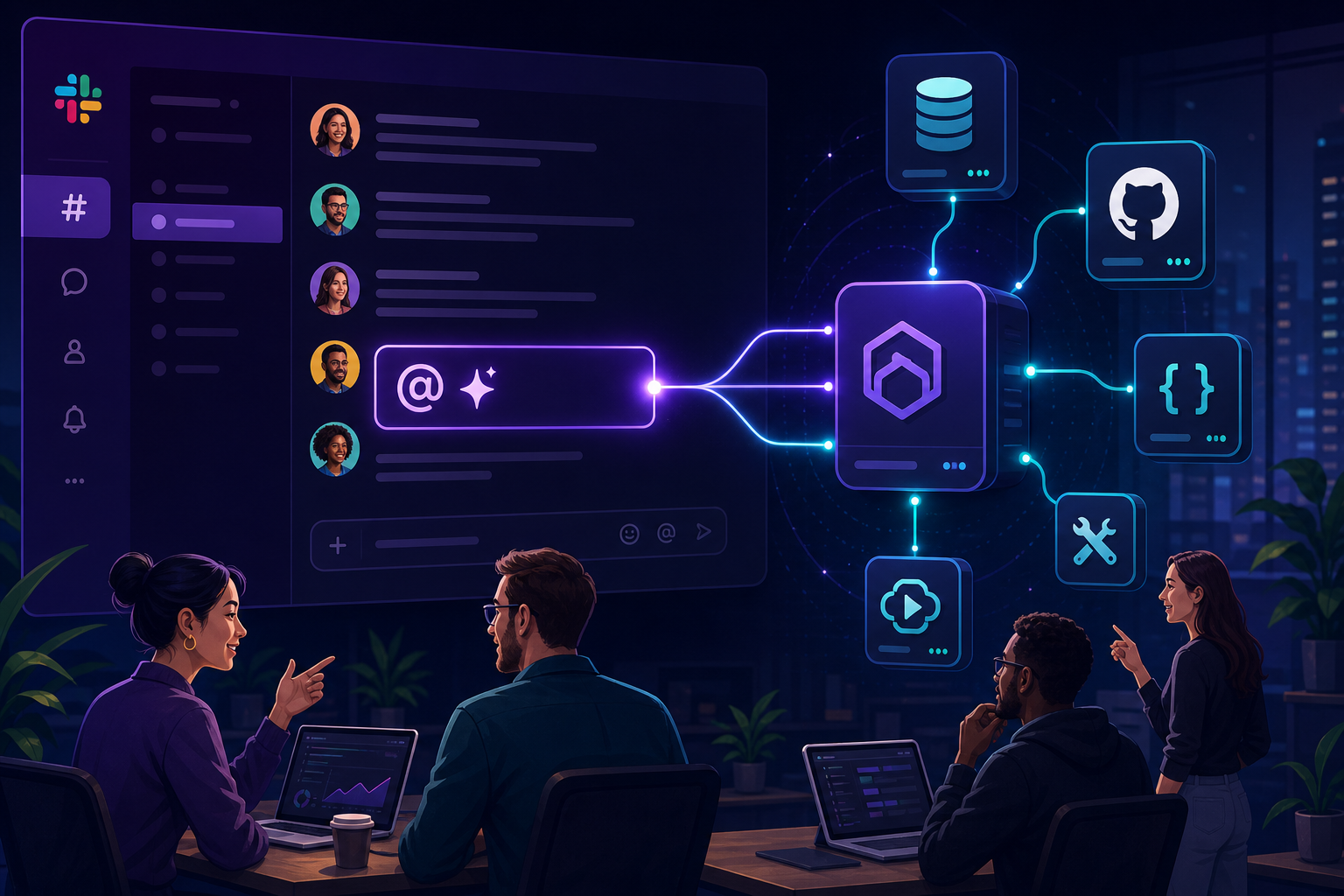
That is the bet behind Claude Tag, which Anthropic announced on June 23, 2026. Claude joins Slack as a channel member. Anyone tags @Claude, delegates a task, and keeps moving while Claude works asynchronously in a thread.
It is not a side chat. It is multiplayer AI — one shared Claude per channel, with memory, optional proactive updates, and admin-controlled access to connectors.
For teams building new services, the interesting part is what Claude Tag sits on top of: MCP connectors — the same integration layer we catalog at Influzer.ai. Slack is the interface. MCP is how Claude actually does things in your stack.
What Claude Tag is (in plain terms)
If you have used Claude Code or Cowork, Claude Tag will feel familiar: describe a task in natural language, Claude breaks it into steps, uses its tools, and replies in a thread with results.
What is new is where and how that happens:
- Multiplayer: one Claude per Slack channel — everyone sees what it is working on and can continue the thread
- Memory over time: context builds from the channel (and other permitted sources), so you stop re-explaining the same architecture every Monday
- Async delegation: assign work and walk away — Claude can schedule follow-ups over hours or days
- Optional ambient mode: Claude can surface relevant updates or nudge stale threads without being tagged
- DMs too: private messages use your personal connectors and tools
Anthropic reports that internally, 65% of their product team’s code now comes from their internal Claude Tag setup — and the pattern is spreading to metrics, support tickets, and incident debugging.
Claude Tag is in beta for Claude Enterprise and Team customers, launching on Slack first, powered by Opus 4.8. It replaces the older Claude in Slack app over a 30-day migration window.
Why this matters for building new services
Shipping a new service is rarely “write code in isolation.” It is:
- Pull context from docs, tickets, and prior decisions
- Query staging data or metrics
- Open PRs, update issues, notify stakeholders
- Chase blockers across tools while the team is in meetings
Before Claude Tag, that loop split across solo Claude chats, IDE agents, and manual Slack updates. Knowledge stayed in one person’s session.
Claude Tag collapses the loop into the team channel:
- Product asks @Claude to summarize open Linear issues for the new billing service
- Engineering tags @Claude to draft an API sketch from the Confluence spec
- Ops asks @Claude to check whether error rates spiked after last night’s deploy
- Everyone sees the same thread — no “what did you ask the AI?” archaeology
That is how AI stops being a personal productivity hack and becomes shared infrastructure for delivery.
Where MCP fits — connectors are the hands
Claude Tag without tools is just a fast writer in Slack. Connectors (built on Model Context Protocol) are what let @Claude act in Linear, Supabase, GitHub, Jira, internal APIs, and your repos.
The pattern:
- Slack + @Claude = collaboration surface (who, when, visibility)
- MCP connectors = capability surface (what Claude can call)
- Admin provisioning = which channel gets which tools (especially with enterprise-managed auth)
Admins create separate Claude identities per use case — sales Claude does not leak memories or tools into engineering Claude. Token limits and audit logs apply org-wide and per channel.
For service builders, that means you can wire a channel like #new-payments-service with a curated MCP stack:
- GitHub — PRs, code search, issue linking
- Linear — roadmap and task updates
- Supabase or Postgres — schema checks and read-only queries on staging
- Context7 — live framework docs while prototyping
- Custom MCP servers — your internal admin API, feature flags, deployment hooks
Find and compare connectors in the Top 100 or full directory — search by tool name, not just server brand.
A practical workflow: from idea to running service
1. Discovery channel (read-mostly connectors)
Grant @Claude access to Confluence, Slack history (permitted channels), and web search connectors. Tag it to synthesize requirements, competitive notes, and open questions. Memory accumulates — week three is faster than week one.
2. Build channel (code + issue trackers)
Scope GitHub, Linear, and Context7. Engineers tag @Claude for boilerplate, test stubs, or “summarize this PR’s risk.” Work stays visible — juniors learn from threads seniors started.
3. Ship channel (data + observability)
Add staging DB read access, Sentry-style tools if available, and deployment MCP wrappers. @Claude can chase “why did checkout fail?” while humans are in standup.
4. Operate channel (async + ambient)
Enable scheduled follow-ups: “check error budget every morning and post here if we breach.” Ambient mode can flag cross-channel signals Claude is allowed to see.
Each phase uses the same multiplayer pattern — only the connector bundle changes.
Claude Tag vs Claude Code vs Cursor — when to use what
| Surface | Best for | MCP role |
|---|---|---|
| Claude Tag (Slack) | Team coordination, async delegation, shared context | Org-provisioned connectors per channel |
| Claude Code | Deep implementation, terminal, repo edits | Local + remote MCP in dev environment |
| Cursor + MCP | Individual dev speed in IDE | Project .cursor/mcp.json — see our setup guide |
Smart teams use all three: Tag for who knows what and what is blocked, Code/Cursor for hands on keyboard. MCP is the constant layer underneath.
Building your own MCP connector for Claude Tag
If your new service exposes an internal API, the highest-leverage move is often ship an MCP server — not another Slack bot from scratch.
Why:
- Claude Tag already speaks connector protocol — you define tools once
- Same server can later serve Cursor, Claude Desktop, or other MCP clients
- Enterprise auth extensions (Okta-managed rollout) apply as your org matures
- Directories like Influzer.ai help other teams discover what you built
Design tools around intents, not REST endpoints: get_customer_health, provision_sandbox, list_failed_jobs — with clear descriptions so @Claude picks the right action.
Submit your server when it is ready — we review listings and index tools for search.
Enterprise guardrails you should plan for
Claude Tag is built for organizations, not anonymous group chats:
- Channel-scoped access — admins choose which tools and data each channel’s Claude can use
- Separate identities — engineering vs sales vs support do not share memory or credentials
- Spend limits — org-wide and per-channel token caps
- Audit logs — who asked @Claude to do what
- No reporting from private channels — Claude does not leak DMs or private channel content into public threads
Pair this with enterprise-managed MCP authorization and you have a credible story for security review: identity, scope, revocation, and visibility.
What to watch next
- Beyond Slack: Anthropic says Claude Tag will expand to more surfaces — plan for MCP connectors that are client-agnostic today
- Connector catalog growth: more vendors ship first-party MCP; your shortlist should stay current — our directory syncs weekly, tools validated daily
- Custom + commercial mix: teams will run vendor MCP (Linear, Supabase) beside internal MCP (your service control plane)
Getting started this week
If you are on Claude Enterprise or Team:
- Read Anthropic’s Claude Tag announcement and admin docs
- Pair Claude Tag with your Slack workspace and set org spend limits
- Pick one pilot channel for a real initiative (not a toy prompt)
- Attach 3–5 MCP connectors matched to that channel’s job — start from the Top 100
- Tag @Claude with a concrete task; iterate on tool descriptions if it picks wrong actions
- Document what worked — then clone the pattern for the next service line
If you are not on Enterprise yet, replicate the architecture locally: shared channel discipline + MCP in Cursor/Code — Claude Tag is the managed version of that shape.
Related reading
- Enterprise-managed MCP auth changes the game
- How to set up your first MCP servers in Cursor
- MCP servers are taking over the integration game
- How Influzer.ai builds the MCP directory
Quick answers
Is Claude Tag the same as MCP?
No. Claude Tag is how teams invoke Claude in Slack. MCP is how Claude connects to external tools. They work together via connectors.
Can I use any MCP server from the directory?
Depends on what Anthropic and your admins support in your plan. Use our directory to evaluate tools first; confirm connector availability with your admin.
Will this replace engineers?
No. It removes coordination drag and speeds iteration. Humans still own architecture, review, and accountability — see validation discipline.
We are building a SaaS product — should we care?
Yes. If customers use Claude Tag + MCP, your product needs a connector story — or you are invisible to @Claude in their stack.
Final thought
Claude Tag answers “how does AI show up for the whole team?” MCP answers “what can it actually do in our systems?”
Together they are a blueprint for building services faster: delegate in Slack, execute through connectors, govern through admin policy, discover servers through a shared catalog.
Tag @Claude in the channel. Wire the MCP stack. Ship the service.
Browse connectors: Top 100 MCP servers · Building one? Submit it
One clear email each Thursday
Actionable frameworks on AI execution, agents, and MCP. Join 4,200+ builders.
Leave a comment
Be the first to share your thoughts.